

August 8, 2024
article by the prompt team
Recently started a new business and have to choose an invoice software? Here are 10 things you need to think about before you’re deciding on one. There are a lot of invoicing software options available, making it challenging to decide on the best one. This decision can be especially difficult for startups with limited cash resources. In this article, we will show you some questions you should ask yourself before deciding which invoice software is right for your business.

1. What are my business needs?
Think about the size and requirements of your business. Do you need software that can handle a high volume of invoices? Are you looking for features specific to your industry? Which price are you looking to pay for a system?
Depending on the size and assets of your business, there are several factors to take into account. It’s important to research and find software that can efficiently manage a high volume of invoices, especially as your product or service sales may grow over time. If you don’t want to spend a lot of money on invoicing software, Prompt invoicing might be the right one for you. With Prompt invoicing, you can send unlimited invoices for a small fee.
2. Is the software secure?
Another important factor to consider is if the software is secure. You want your information to be safe, and only available for you and your coworkers. Does the invoicing software have secure access control to protect sensitive information? In Prompt invoicing, you can protect your account with one of the markets best solutions.
3. What are the customization options?
Look into how customizable the invoice software and template can fit your branding. Can you add your own logo? Can you add personalized messages? These are important things, as customizing your invoices can help make a lasting impression on your customers and ensure they remember your business. In Prompt invoicing, you can add your own logo to every invoice, and add a personal message to every customer.
4. Is there a trial period or demo available?
Think about the size and requirements of your business. Do you need software that can handle a high volume of invoices? Are you looking for features specific to your industry? Which price are you looking to pay for a system? Depending on the size and assets of your business, there are several factors to take into account. It’s important to research and find software that can efficiently manage a high volume of invoices, especially as your product or service sales may grow over time. If you don’t want to spend a lot of money on invoicing software, Prompt invoicing might be the right one for you. With Prompt invoicing, you can send unlimited invoices for a small fee.
5. Is customer support available when needed?
Consider the level of customer support provided. Is the support available via phone, email or live chat? Are there any comprehensive resources like tutorials and FAQs? It’s good to know that help is always available, no matter how big or small your question may be.
It’s easy to get help in Prompt invoicing:
Help pages
Sign in and choose MENU > CONTACT SUPPORT for contacting us
Read your FAQs
6.What features does the software offer?
Identify the key features provided by the software. Does it offer recurring invoices, automated payment reminders and free support? Find out what matches your business and what you need. There may be things that you don’t need as well.You may have questions when starting to use invoicing software. With Prompt invoicing you benefit from free, unlimited support. Recurring invoices and payment reminders.
7.What are the costs and pricing structure?
As a business owner, you might want to spend money on other things like invoicing software. Research different invoicing softwares and evaluate their price models. Is there a subscription fee, one-time purchase costs, or pay-per-invoice charge? Are there any hidden additional costs for extra features?
8.What are the costs and pricing structure?
As a business owner, you might want to spend money on other things like invoicing software. Research different invoicing softwares and evaluate their price models. Is there a subscription fee, one-time purchase costs, or pay-per-invoice charge? Are there any hidden additional costs for extra features?
9.Does the invoicing software provider offer additional useful tools?
You should also consider whether the invoicing software provider offers other valuable tools beyond invoicing, preferably without additional cost. Utilizing a provider that offers a comprehensive suite of features can streamline your business operations and reduce the need for multiple software solutions.
Some useful, free tools:
Balance sheet template
Cash flow forecast template
Payslip template
Profit and loss template
Quotation template
Spreadsheet budgeting template
Timesheet template
10. Is the software user-friendly?
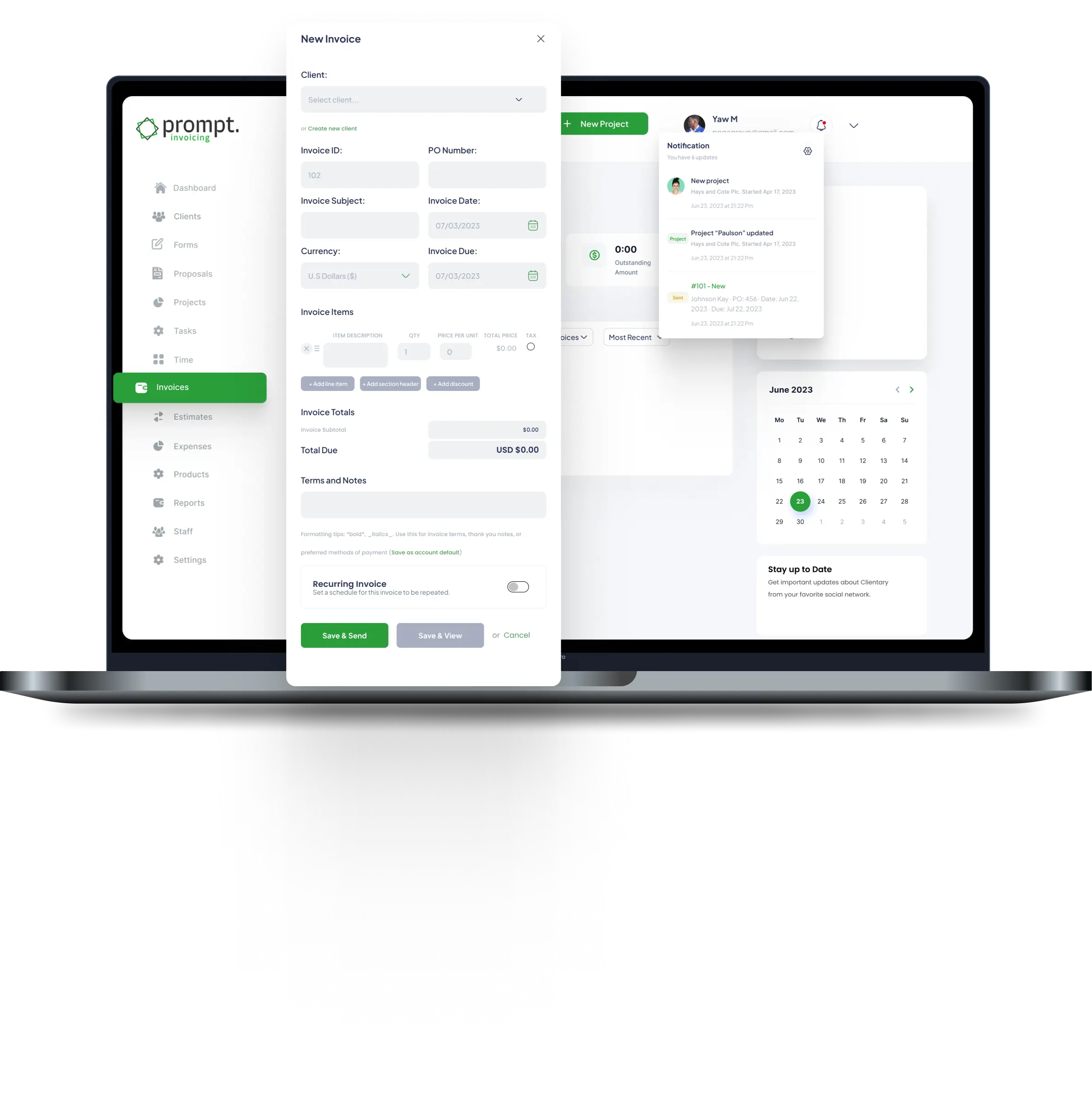
You may use invoicing software for the very first time in your life, and it’s important that you understand how to use it and that the language in the system is understandable. You should ask yourself these questions:
Does the software seem easy to use?
Does it have an intuitive interface that requires minimal training?
Does the invoicing provider have articles or how-to pages that are easy to understand, in case you are stuck?
Prompt invoicing provides both helpful articles and help pages to make you an expert on using the software.
By asking yourself these ten questions and thoroughly evaluating invoicing software options, you can make an informed decision that enhances your invoicing. Running a business can be hard. That’s why we’ve made our invoicing software free of charge. It’s simple and intuitive, and you can make an invoice in just a few minutes.








Leave A Comment